
Rent collection software, Canada
Rent collection software for Canadian property managers
Tenants in Canada pay by Interac e-Transfer, cash and cheque. Automanagement tracks all three in one rent history, so you know who has paid without checking your bank and a spreadsheet. Nothing is withdrawn: tenants pay as they do today and you confirm it.
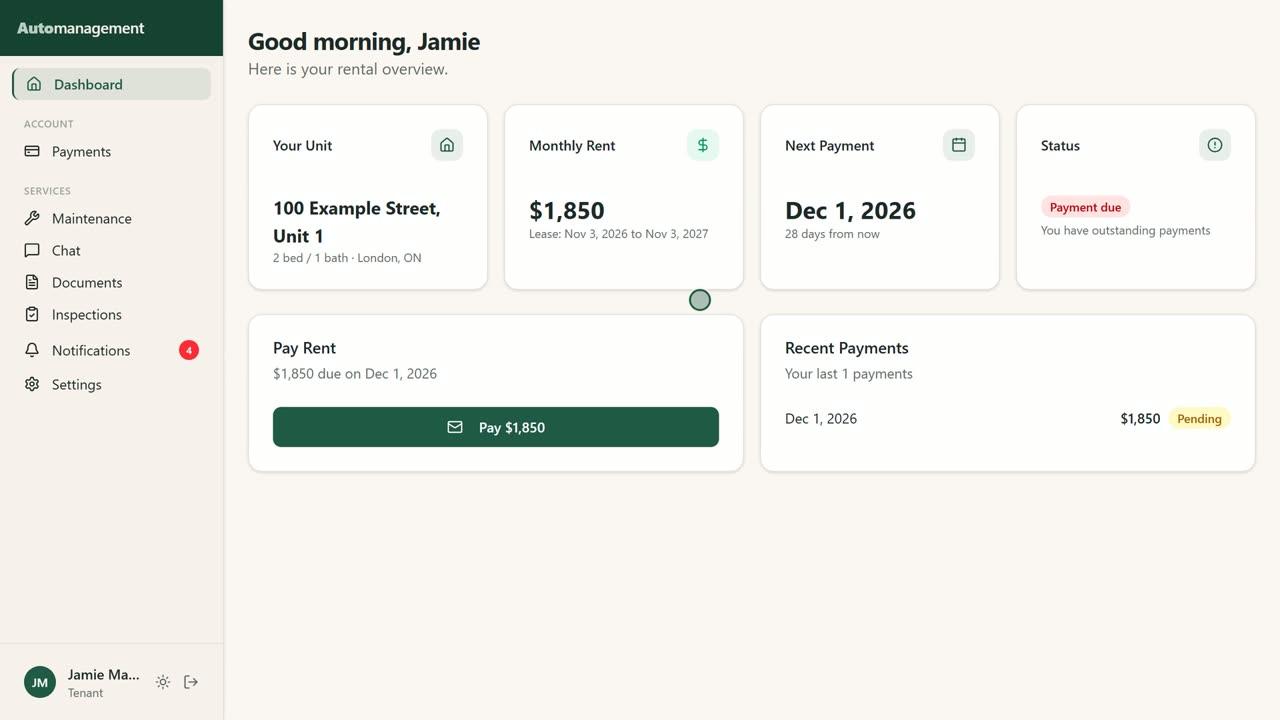
How rent works in Automanagement
Monthly rent charges
With monthly rent charges on, about two weeks before each due date the month's rent is added to the tenant's portal for every active lease.
Interac e-Transfer
The tenant's portal shows where to send the e-Transfer. Once sent, the tenant taps "I've Sent the Transfer" and you get a notice. You tap "Confirm e-Transfer" when it arrives.
Cash and cheque
Record a cash or cheque payment with "Mark as received", and it joins the same rent history.
Receipts
Tenants can open a receipt for a recorded payment from their portal.
Owner statements
Owners get a clean, read-only rent summary: rent charged, rent received and when it was paid. Statements download as PDF or CSV.
Accounting
Rent and expenses organized by T776 line, with GST/HST, ready for tax time.
Who it is for
Property managers who collect rent by e-Transfer, cash or cheque for many units and owners, and want one record of it.
- Property management companies with up to 150 units on Scale; Enterprise has no unit limit
- Teams where staff confirm payments under their own login
- Owners who want to see their rent without calling you
- Small landlords with up to 2 units can use the Free plan
Provinces and languages
Works in every province and territory, priced in CAD. Tenants see their rent and the e-Transfer steps in English or Quebec French.
How switching works
Move your tenants and rents over from a spreadsheet in one file.
- 1Create a free account. No credit card for the Free plan.
- 2Open Import from a spreadsheet and download the CSV template. Monthly rent is required on every row; tenant and lease columns are optional.
- 3Upload the file and check the preview. Nothing is added until you confirm, and tenants get no email.
- 4Activate each imported lease. Draft leases create no rent charges until you do.
Rather not import it yourself? Our team can set up your account for you. Request setup
Plans
Plans differ only by how many units you manage. Every plan includes the whole platform.
Free
Up to 2 units
$0 CAD/month
Core
Up to 15 units
$29 CAD/month
Pro
Up to 50 units
$69 CAD/month
Scale
Up to 150 units
$129 CAD/month
Paid plans start with a 7-day free trial. Enterprise has no unit limit.
Questions
Does Automanagement take payments or hold tenant money?
No. Nothing is withdrawn. Tenants pay by Interac e-Transfer, cash or cheque as they do today, and you confirm each payment in the app.
How do I know a tenant sent an e-Transfer?
The tenant taps "I've Sent the Transfer" in their portal and you get a notice. When the money arrives, you tap "Confirm e-Transfer".
Can I record cash and cheques?
Yes. Use "Mark as received" and the payment joins the same rent history as e-Transfers.
Do owners see the rent?
If you allow it. Owners get a read-only portal with a clean rent summary, and you decide what each owner sees.
How much does it cost?
Free for up to 2 units. Core is $29/month for up to 15 units, Pro $69/month for up to 50, and Scale $129/month for up to 150, in CAD. Every plan includes the whole platform.